Anúncios
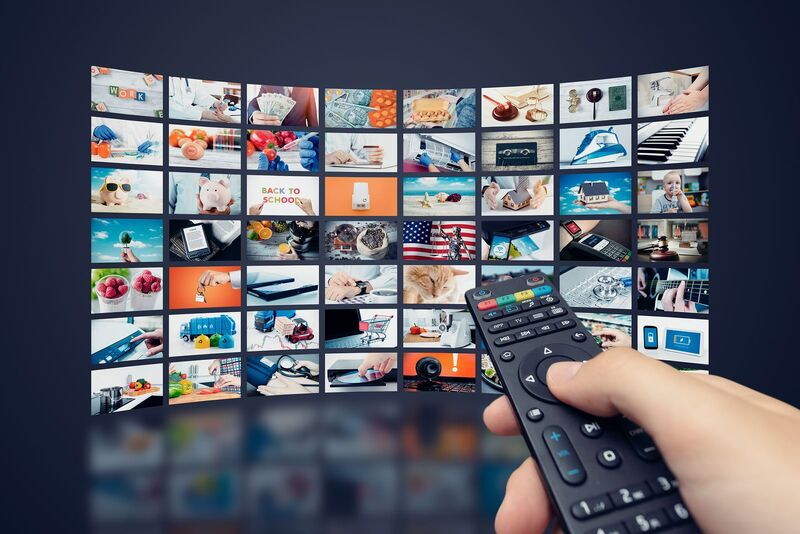
Whether you’re commuting, traveling, or just relaxing in bed, your smartphone has become one of the most powerful home theater devices you own.
With 5G networks now widespread and phone screens hitting 120Hz refresh rates and HDR10+ panels, watching movies on your phone in 2026 is a genuinely premium experience — not a compromise.
But with dozens of streaming apps competing for your attention (and your subscription budget), choosing the right platform matters more than ever.
This complete guide breaks down the best movie streaming apps available on iOS and Android, what to look for before you subscribe, and expert tips to get the highest picture and sound quality from your device.
Why Watching Movies on Your Phone Has Never Been Better
A few years ago, watching a full movie on a 6-inch screen felt like settling. Not anymore.
Modern flagship smartphones — including the iPhone 15 Pro, Samsung Galaxy S24 Ultra, and Google Pixel 9 Pro — feature OLED displays with over 2,000 nits of peak brightness, Dolby Vision support, and refresh rates that eliminate motion blur entirely.
Paired with spatial audio or a good pair of wireless earbuds, the experience rivals a mid-range home theater setup.
According to industry data, over 70% of streaming video consumption now happens on mobile devices globally.
Streaming platforms have responded by building mobile-first features: offline downloads, vertical video modes, data-saving controls, and even exclusive mobile content.
The result? Your phone is no longer just a second screen. For millions of people, it is the screen.
What to Look for in a Movie Streaming App
Before diving into the best apps, here’s what separates a great streaming experience from a frustrating one:
Video Quality Options The best apps let you choose between data-saving (480p), standard (720p), high definition (1080p), and ultra HD (4K HDR) streaming. Not every phone supports 4K playback, but having the option matters.
Offline Downloads Downloading movies for offline viewing is essential for travelers and commuters. Some apps limit how many titles you can download, how long you can keep them, or which plans include downloads at all.
Content Library Depth Quantity doesn’t equal quality. Look for platforms with a strong mix of new releases, catalog classics, and exclusive original films you can’t find elsewhere.
Price and Value Subscription costs range from free (ad-supported) to $22.99/month for premium tiers. Understanding what each plan includes — ads, download limits, simultaneous streams — helps you avoid overpaying.
App Performance A streaming app that buffers frequently, crashes, or has a confusing interface kills the experience. App store ratings and update frequency are good indicators.
The Best Movie Streaming Apps for Your Phone in 2026
1. Netflix — The Gold Standard of Mobile Streaming
Price: $7.99/month (Standard with Ads) | $15.49/month (Standard) | $22.99/month (Premium)
Platforms: iOS, Android
Offline Downloads: Yes (Standard and Premium plans)
Netflix remains the most downloaded and most-used streaming app in the world for a reason.
Its recommendation algorithm is genuinely excellent, its original film catalog is unmatched — from Oscar-winning dramas to big-budget action blockbusters — and its mobile app is one of the most polished on the market.
Why it excels on mobile: Netflix introduced a “Downloads for You” feature that automatically downloads titles it thinks you’ll like while connected to Wi-Fi.
It also offers a Smart Downloads feature that deletes watched episodes and replaces them with new ones automatically. For mobile users, this is incredibly convenient.
Netflix also supports spatial audio on compatible devices, and its HDR10 and Dolby Vision streams look stunning on OLED smartphone screens.
Best for: Anyone who wants the largest original film library and the most refined mobile experience.
2. Max (HBO Max) — Premium Cinema on Your Phone
Price: $9.99/month (With Ads) | $15.99/month (Ad-Free) | $19.99/month (Ultimate)
Platforms: iOS, Android
Offline Downloads: Yes (Ad-Free and Ultimate plans)
Max carries the HBO brand, which means instant credibility. If you care about prestige cinema — award-season films, critically acclaimed dramas, and Warner Bros. theatrical releases — Max is arguably the best streaming library available right now.
The app streams in up to 4K Ultra HD with Dolby Vision and Dolby Atmos audio, and its mobile interface was completely redesigned in 2023 to feel much faster and more intuitive.
One significant advantage: Max regularly adds major theatrical releases to its catalog within 45 days of cinema release, meaning you often don’t have to wait long to watch new blockbusters from home — or from your phone, on the train.
Best for: Film enthusiasts who prioritize quality over quantity and want prestige titles as fast as possible after theatrical release.
3. Disney+ — Family Films, Marvel, Star Wars, and More
Price: $7.99/month (With Ads) | $13.99/month (Premium)
Platforms: iOS, Android
Offline Downloads: Yes (all plans)
Disney+ has one of the most recognizable content libraries in streaming: every Marvel Cinematic Universe film, the complete Star Wars saga, Pixar’s catalog, classic Disney animation, and National Geographic documentaries.
The mobile app is fast, clean, and extremely family-friendly. GroupWatch lets up to four people watch the same title simultaneously from different locations — a feature that works great on mobile for virtual movie nights.
Disney+ supports 4K Ultra HD, HDR10, and Dolby Vision on compatible devices. Download quality is also adjustable, which is useful for managing phone storage.
Best for: Families, MCU fans, and anyone who grew up with Disney and wants everything in one place.
4. Apple TV+ — Small Library, Exceptional Quality
Price: $9.99/month
Platforms: iOS, Android (limited), Apple TV app
Offline Downloads: Yes
Apple TV+ has a relatively small content library compared to competitors, but what it lacks in volume it makes up for in quality. Films like CODA (Best Picture winner), Killers of the Flower Moon, and Tetris are Apple originals that would feel at home in any film festival lineup.
On iPhone specifically, Apple TV+ is a no-brainer: the integration with iOS is seamless, Picture in Picture works flawlessly, and AirPlay lets you throw the video to any Apple TV or compatible smart TV in seconds. Spatial audio through AirPods delivers a genuinely immersive experience.
If you bought a new Apple device recently, you likely have a free 3-month trial waiting for you.
Best for: iPhone users who want a curated, high-quality original film experience with deep iOS integration.
5. Amazon Prime Video — Massive Library Plus Shopping Perks
Price: Included with Amazon Prime ($14.99/month or $139/year) | $8.99/month standalone
Platforms: iOS, Android
Offline Downloads: Yes
Amazon Prime Video offers one of the largest movie catalogs available, combining originals, licensed films, and a channel add-on system that lets you subscribe to Paramount+, Starz, MGM+, and others directly within the app.
For mobile users, the app includes X-Ray — an IMDb-powered feature that shows you cast information, trivia, and soundtrack details in real time as you watch. It’s a surprisingly addictive feature that turns passive viewing into an interactive experience.
Download quality goes up to 1080p on most content, and the app handles offline playback reliably.
Best for: Amazon Prime subscribers who want to maximize an existing membership and access the widest possible range of content through a single app.
6. Peacock — Best Free Option with Premium Upside
Price: Free (with ads) | $7.99/month (Premium) | $13.99/month (Premium Plus)
Platforms: iOS, Android
Offline Downloads: Premium Plus only
Peacock, NBC Universal’s streaming platform, is one of the best free options available. The free tier includes thousands of movies and TV shows supported by ads — and unlike some free platforms, the ad frequency is reasonable.
Its film library spans Universal Pictures titles, Focus Features, DreamWorks Animation, and a surprisingly deep catalog of classic Hollywood films. For mobile users on a budget, Peacock’s free tier is hard to beat.
The Premium tier adds current-season NBC shows, Premier League soccer, and exclusive Peacock originals, making the value proposition even stronger for sports fans.
Best for: Budget-conscious viewers who want a legitimate free option or sports fans looking for Premier League coverage.
7. Tubi — Completely Free, Surprisingly Deep
Price: Free (ad-supported)
Platforms: iOS, Android
Offline Downloads: No
Tubi is 100% free with no subscription required. Owned by Fox, it runs ads (similar to watching regular TV) but offers a surprisingly large movie library — over 50,000 titles across every genre imaginable.
The catalog skews toward older films and B-movies, but there are genuine classics buried in there if you know where to look. For casual mobile viewing when you don’t want to spend anything, Tubi is an excellent choice.
Best for: Viewers who want zero cost, don’t mind ads, and enjoy browsing a massive eclectic catalog.
Tips to Get the Best Picture Quality on Your Phone
Subscribing to the right app is only half the equation. Here’s how to maximize picture quality:
Enable HDR in your streaming app settings. Most apps default to Auto, but manually enabling HDR10 or Dolby Vision ensures the highest quality stream when your phone’s display supports it.
Use Wi-Fi for HD and 4K streaming. Mobile data can handle 1080p, but 4K and Dolby Vision streams consume 7–25GB per hour. Save those for Wi-Fi unless you have an unlimited data plan.
Adjust display settings on your phone. On Samsung devices, enable “Vivid” display mode for richer colors. On iPhones, True Tone and ProMotion work automatically, but check that HDR video is enabled in Settings > Accessibility > Display & Text Size.
Use quality earbuds or headphones. The speakers on even the best smartphones are a bottleneck for audio. A pair of AirPods Pro, Sony WH-1000XM5, or Samsung Galaxy Buds Pro dramatically changes the experience — especially with Dolby Atmos content.
Keep your screen clean. Obvious but often overlooked. A clean OLED screen with accurate colors looks significantly better than one with smudges and fingerprints.
How to Manage Multiple Subscriptions Without Overspending
Subscription fatigue is real. The average American household now pays for 4.5 streaming services simultaneously. Here’s how to be smarter about it:
Rotate subscriptions monthly. Watch everything you want on one platform, cancel, then move to the next. Most services offer easy cancellation and re-subscription without losing your watchlist.
Use bundle deals. The Disney Bundle (Disney+, Hulu, ESPN+) offers significant savings over subscribing to each separately. Apple One bundles Apple TV+ with other Apple services. Amazon Prime bundles Prime Video with shipping benefits.
Share plans with family. Most streaming services offer multiple simultaneous streams. A Premium Netflix plan allows four streams — shared across a household, the per-person cost drops significantly.
Check your credit card benefits. Several premium credit cards include complimentary streaming subscriptions as a cardholder perk. It’s worth reviewing your card benefits before paying out of pocket.
The Future of Mobile Movie Watching
The trajectory is clear: smartphones are becoming the primary screen for a growing majority of global viewers, and streaming platforms are building their products around that reality.
Expect to see more AI-powered personalization that learns your taste faster, better offline experiences, and — as 5G coverage deepens — consistent 4K HDR streaming without buffering anywhere in the world.
Foldable phones like the Samsung Galaxy Z Fold series already offer a tablet-like experience in a pocket-sized device, and as that category matures, the line between “phone” and “personal theater” will blur even further.
For now, the streaming apps listed above give you everything you need to build a world-class mobile viewing experience — for any budget, any taste, and any screen size.
Final Verdict: Which App Should You Download First?
- Best overall: Netflix
- Best for prestige films: Max (HBO)
- Best for families: Disney+
- Best iPhone integration: Apple TV+
- Best value with Prime: Amazon Prime Video
- Best free option: Peacock or Tubi
There’s no single right answer — the best streaming app is the one that matches your taste, your budget, and how you watch. Most offer free trials, so there’s no risk in testing a few before committing.